Cloud Credential Profile in ObserveOps
Use the Cloud protocol to monitor cloud infrastructure. Select the tab that matches your provider. Each cloud provider has its own set of required credentials.
AWS
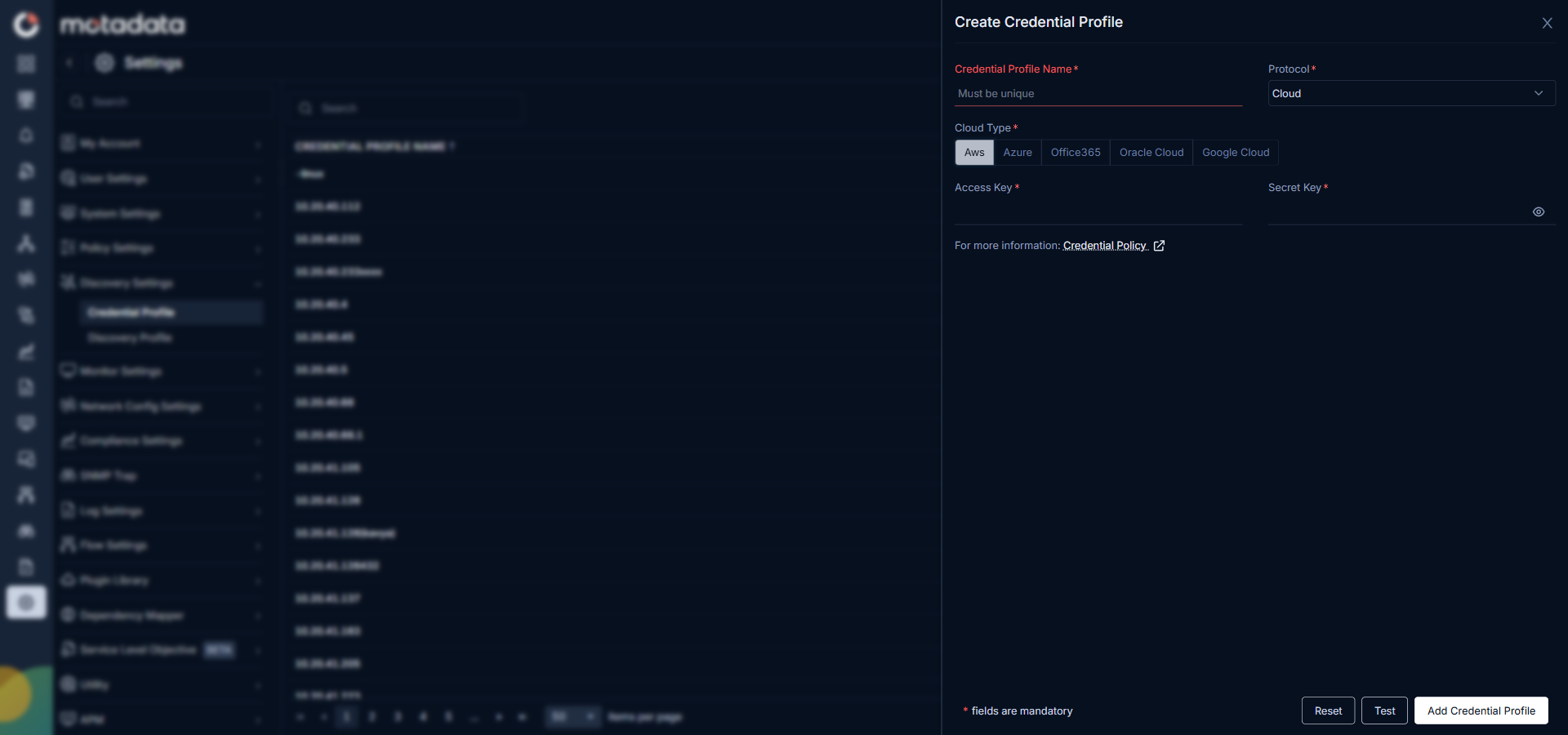
| Field | Description |
|---|---|
| Access Key | The AWS IAM access key ID that identifies the IAM user or role ObserveOps uses to query your AWS account. |
| Secret Key | The AWS IAM secret access key paired with the access key above. |
Azure
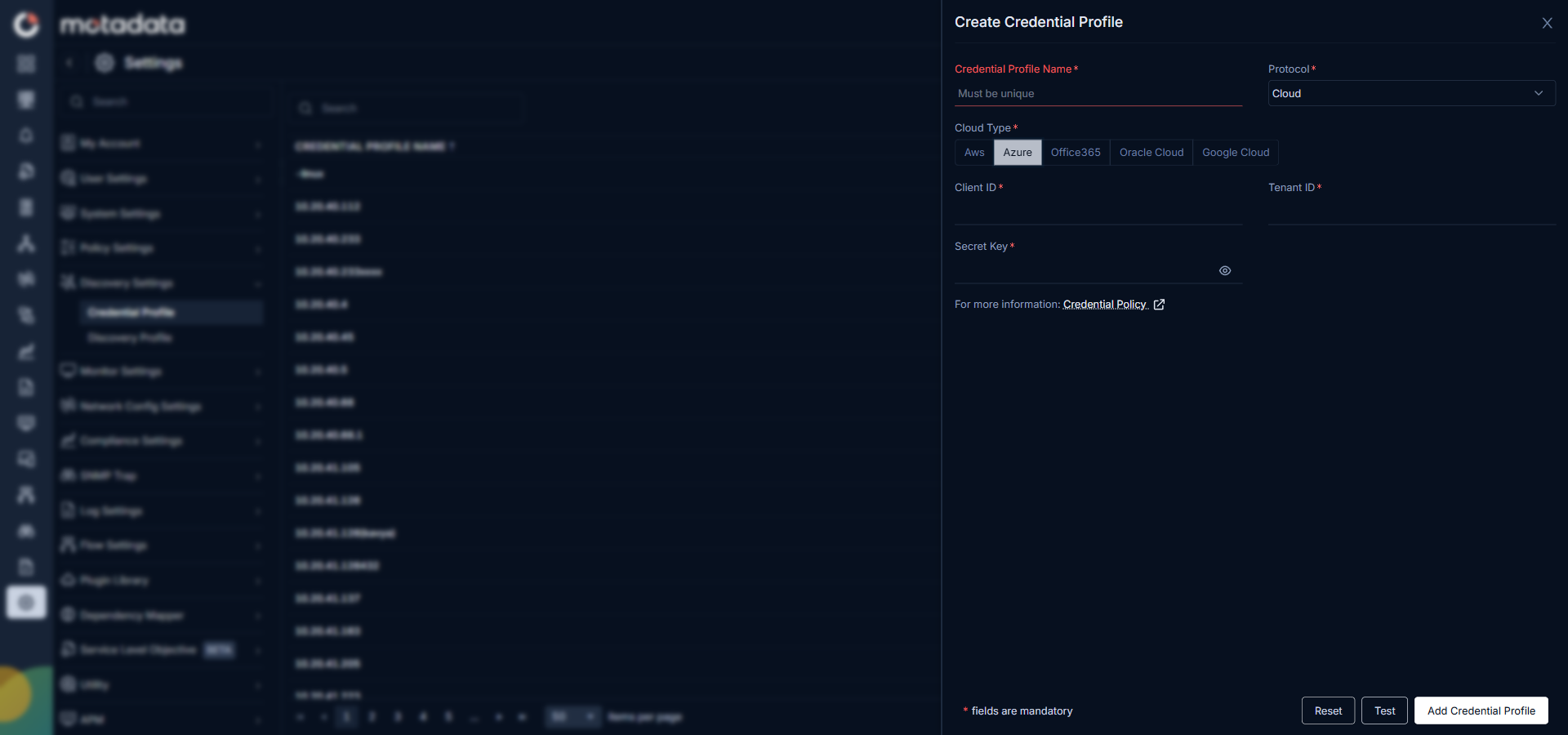
| Field | Description |
|---|---|
| Client ID | The Application (client) ID of your Azure app registration that ObserveOps uses to authenticate. |
| Tenant ID | The Directory (tenant) ID of your Azure Active Directory where the app registration lives. |
| Secret Key | The client secret generated for the app registration above. |
Office 365
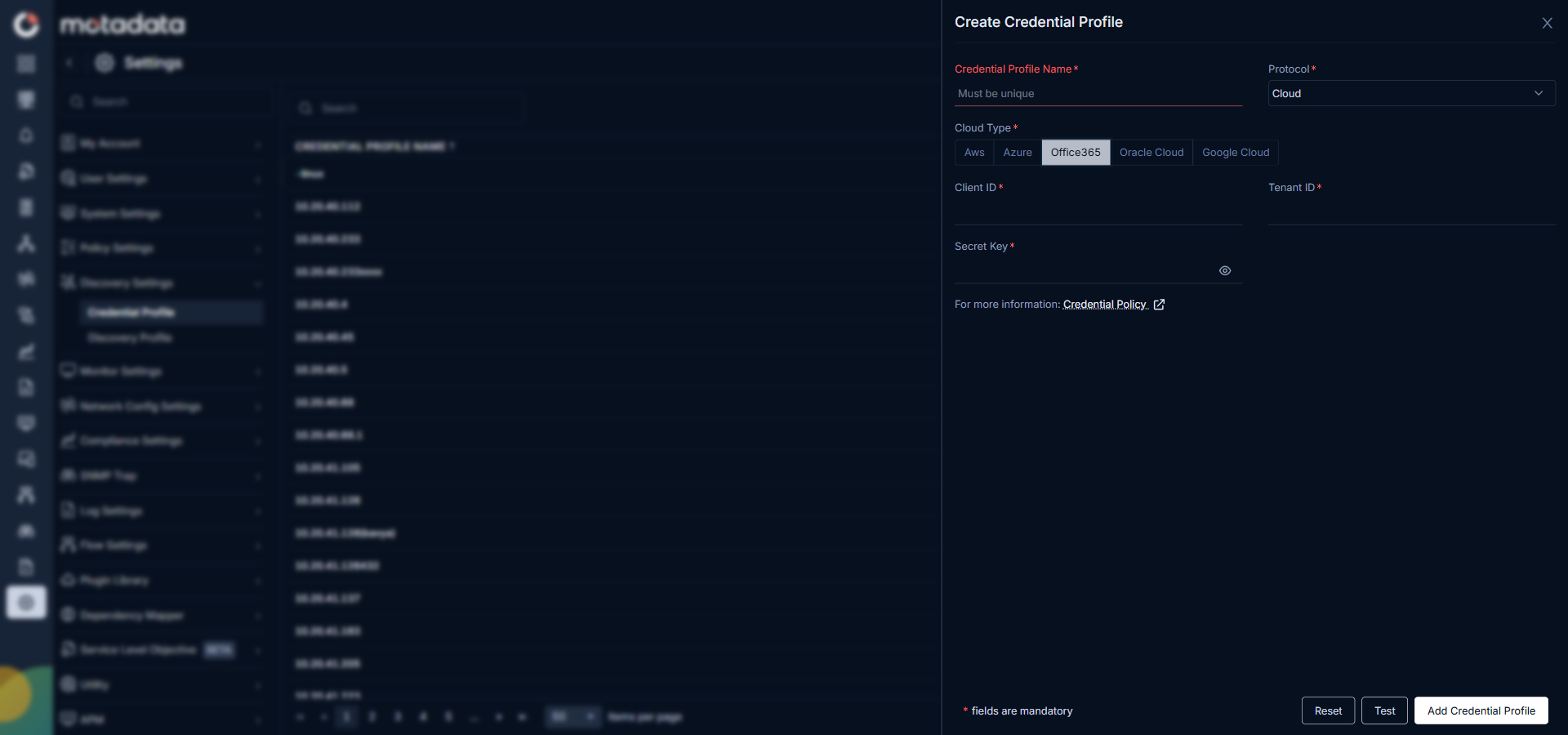
| Field | Description |
|---|---|
| Client ID | The Application (client) ID from your Microsoft Entra app registration for this ObserveOps integration. |
| Tenant ID | The Directory (tenant) ID of your Microsoft 365 tenant. |
| Secret Key | The client secret for the app registration above. |
Oracle Cloud
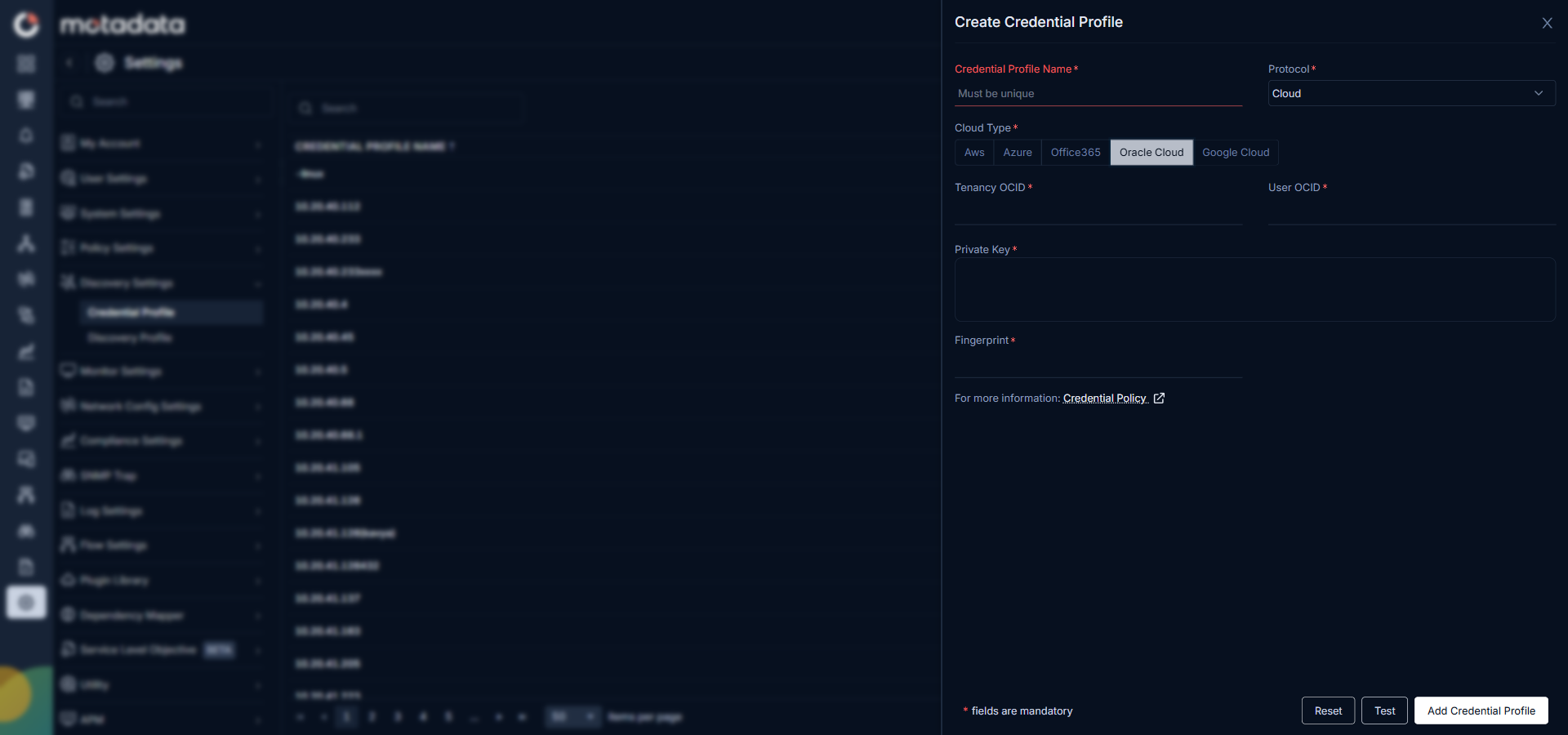
| Field | Description |
|---|---|
| Tenancy OCID | The Oracle Cloud Identifier for your tenancy, found in the Oracle Cloud Console under Tenancy Details. |
| User OCID | The OCID of the user whose API signing key ObserveOps uses for authentication. |
| Private Key | The PEM private key from the API signing key pair uploaded to your Oracle Cloud user profile. |
| Fingerprint | The fingerprint of the public key uploaded to your Oracle Cloud user profile, used to verify the signing key. |
Google Cloud
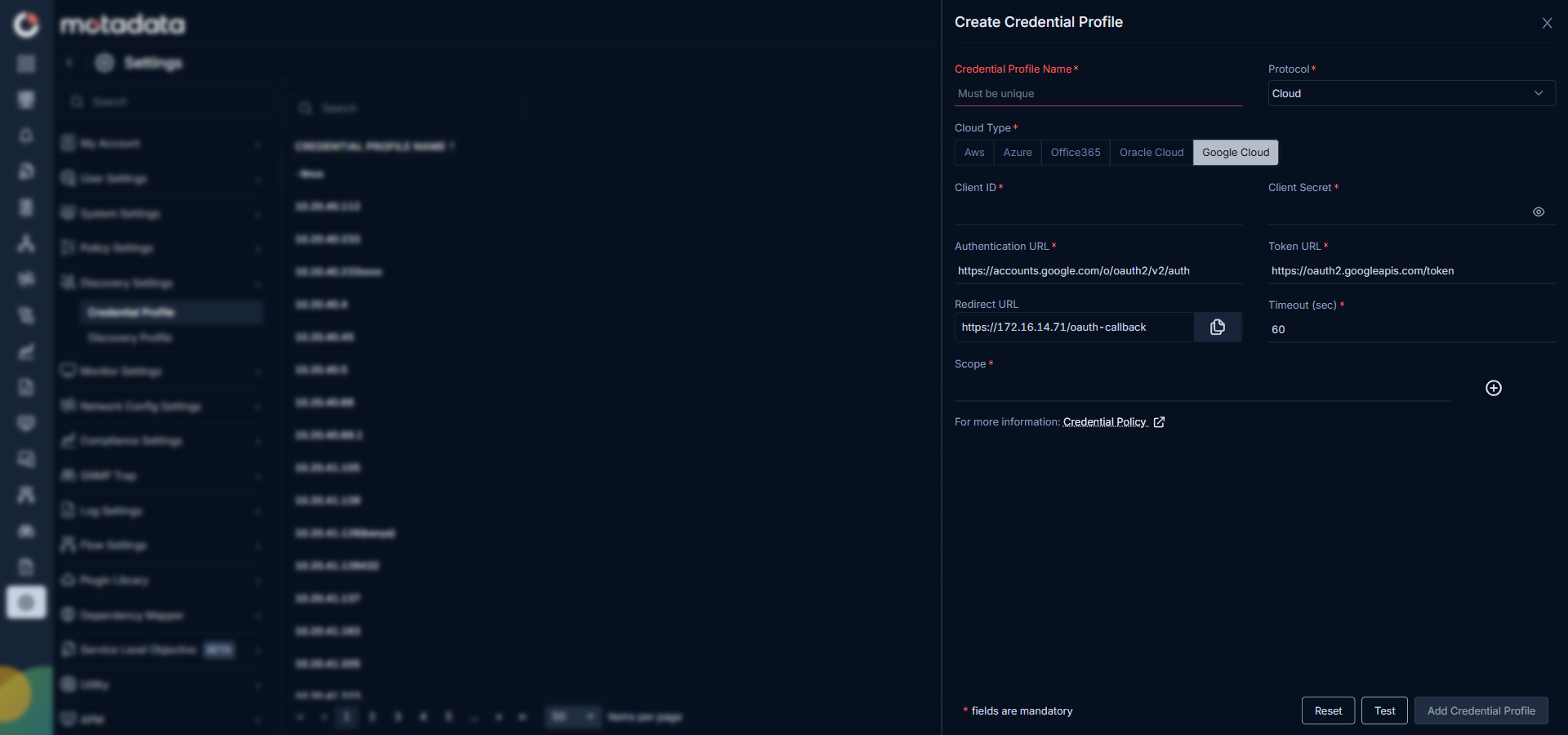
| Field | Description |
|---|---|
| Client ID | The OAuth 2.0 client ID from your Google Cloud project that ObserveOps uses for authentication. |
| Client Secret | The OAuth 2.0 client secret paired with the client ID above. |
| Authentication URL | The Google OAuth authorization endpoint URL where ObserveOps requests authorization. |
| Token URL | The Google OAuth token exchange endpoint URL where ObserveOps exchanges authorization codes for access tokens. |
| Redirect URL | The redirect URI registered in your Google Cloud OAuth configuration. Leave empty if not required by your setup. |
| Timeout (sec) | The number of seconds ObserveOps waits for a response before treating the connection as failed. |
| Scope | The API scopes ObserveOps needs to access your Google Cloud resources, for example https://www.googleapis.com/auth/cloud-platform. |
Related Topics
- Credential Profile Overview: create, edit, delete, and assign credential profiles
- Adding Cloud Devices: full walkthrough for cloud discovery and provisioning